

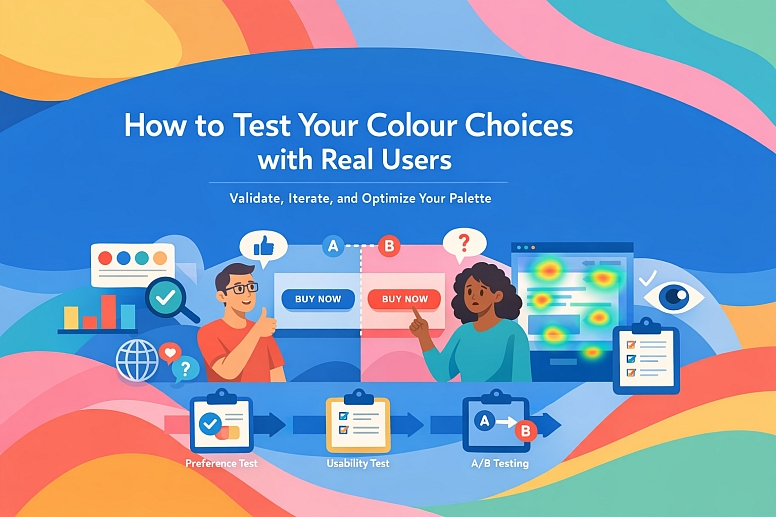
How to Test Your Colour Choices with Real Users
A colour palette is a hypothesis. It is a strategic assumption about what will communicate effectively, guide users, and build trust. Like any hypothesis, it must be tested to validate its efficacy.
Testing colour with real users moves design from subjective preference to objective performance, identifying unseen barriers in accessibility, cultural interpretation, and intuitive use before they damage the user experience or brand perception.
- Core Objective: Validate that colour choices function as intended for the target audience.
- Critical Insight: User testing reveals the gap between designer intent and user perception.
- Primary Methods: A combination of preference tests, semantic surveys, and task-based usability tests.
- Key Outcome: Data-driven confidence to refine, iterate, or lock a colour system.
The Necessity of Moving Beyond Instinct and Contrast Checkers
Designers and brand managers operate with a deep understanding of colour theory and brand strategy. However, this expertise creates an "expert blind spot"—an inability to see the interface as a novice user would. Automated tools can verify contrast ratios for accessibility, but they cannot measure emotional response, interpret cultural nuance, or reveal if a "call-to-action" button is overlooked because it blends cognitively into the background.
The cost of untested colour is high. It can lead to reduced conversion rates, increased user errors, or a brand message that is misunderstood. For example, a financial app using a dark green to signify "profit" may be clear to the design team, but testing might reveal that a significant portion of users with a common form of colour vision deficiency (CVD) see it as a murky brown, stripping it of its positive financial association. Testing transforms colour from a visual asset into a functional component of the user experience, with measurable impact on task success, satisfaction, and business goals.
A Framework for Structured Colour Testing
Effective testing is not a single question, but a phased approach that gathers different types of data.
Phase 1 - Foundational Preference & Semantic Reaction Testing: This phase answers: "What do users feel when they see these colours, and do their associations align with our goals?"
-
Method: Semantic Differential Survey.
- Process: Present users with key screen mockups or colour swatches. Ask them to rate the design on a scale between two opposing adjectives (e.g., Trustworthy (leftrightarrow) Untrustworthy, Modern (leftrightarrow) Outdated, Calm (leftrightarrow) Energetic, Professional (leftrightarrow) Casual).
- Goal: Quantify the emotional and perceptual response. Are users perceiving the healthcare app as "calm" and "trustworthy" as intended, or is it reading as "cold" and "impersonal"?
-
Method: First-Click & Visual Attention Testing.
- Process: Using a tool like Maze or UserTesting, present a static mockup and ask: "Where would you click to [complete the primary action]?" Use heatmaps to see where users' attention is drawn first.
- Goal: Validate visual hierarchy. Does the primary button colour successfully draw the eye before any other element? This test is crucial for confirming that your colour-guided hierarchy works as planned.
Phase 2 - Functional & Accessibility Validation: This phase answers: "Can all users actually use the interface, regardless of how they perceive colour?"
-
Method: Task-Based Usability Testing with a CVD Filter.
- Process: Conduct standard usability tests (e.g., "Add this item to your cart and proceed to checkout") but ensure your participant pool includes individuals with colour vision deficiencies. Alternatively, use CVD simulation software (like Stark or Color Oracle) during your test analysis to review sessions.
- Goal: Identify points of failure. Does a user with deuteranopia (red-green blindness) fail to see a red error message? Do they confuse an "active" green state with an "inactive" grey state? This provides direct evidence of where colour as a sole indicator breaks down.
-
Method: Contextual Inquiry with High-Fidelity Prototypes.
- Process: Place a high-fidelity, interactive prototype in front of users in a realistic environment (e.g., on their phone in various lighting conditions). Observe them completing tasks without leading them.
- Goal: Observe real behaviour. Do users hesitate when looking for an interactive element? Do they comment on the text being hard to read? This uncovers issues with contrast, legibility, and intuitive understanding in real-world contexts.
Phase 3 - Comparative & A/B Testing: This phase answers: "Which of these specific colour variations performs best for our business goals?"
- Method: A/B/N Testing on Live Elements.
- Process: On a live website or app, serve different versions of a key component (e.g., a "Sign Up" button in Colour A vs. Colour B) to equal segments of your audience. Measure the conversion rate for each variant.
- Goal: Obtain statistically significant performance data. This moves beyond "like" to "does." It tells you definitively if a darker blue CTA button leads to more purchases than a green one for your specific audience.
Five Contexts for Colour Testing
1. Launching a New Brand Identity for a Fintech Startup
- Constraints: Must communicate absolute trust and security while feeling modern and approachable to a younger demographic.
- Common Testing Mistakes: Testing only logo variations in isolation, not within the context of an app screen. Only asking about "preference" without measuring trust perception.
- Practical Testing Plan: Conduct a semantic survey showing two dashboard concepts: one with a classic navy blue/white palette, and one with a navy/teal/white palette. Measure perceptions of "Trust," "Innovation," and "Approachability." Follow with a first-click test on a transaction screen to ensure the "Confirm" button colour is unambiguous.
2. Redesigning a Healthcare Appointment Booking Portal
- Constraints: Must reduce anxiety and cognitive load for a stressed, time-pressed user, with mandatory accessibility compliance.
- Common Testing Mistakes: Testing with only a general audience, not including older users or those with visual impairments.
- Practical Testing Plan: Run task-based tests with a diverse age group, asking them to find a specialist and book an appointment. Use screen-recording software to observe hesitation. Then, conduct a focused session with users who have self-identified visual impairments, using assistive technology, to test the contrast and colour-coded status indicators (e.g., "available" slots).
3. Choosing a Primary CTA Colour for an E-commerce Site
- Constraints: Need to maximize conversion rate on a key action; the colour must stand out against a dynamic product background.
- Common Testing Mistakes: Relying on generic "best practice" (e.g., "always use red") without testing against the site's unique background.
- Practical Testing Plan: Implement a live A/B test on the product page. Test the current CTA colour against 2-3 high-contrast alternatives that still fit the brand palette. Run the test until you achieve 95% statistical significance on the "Add to Cart" conversion rate. The winning colour becomes the new standard.
4. Validating a Data Visualization Dashboard for a B2B SaaS Platform
- Constraints: Colours must allow for rapid, error-free differentiation of 8-10 data categories across multiple charts.
- Common Testing Mistakes: Using a default rainbow palette that is both inaccessible and confusing. Not testing for colour blindness.
- Practical Testing Plan: Use a CVD simulation tool to audit the palette first. Then, conduct a performance test: show users a complex chart for 5 seconds, then hide it and ask recall questions about specific data series (e.g., "What was the value of the blue line in Q3?"). High error rates on certain colours indicate they are not distinct enough. Iterate towards a palette that uses a combination of hue, saturation, and pattern.
5. Selecting a Palette for a Global Food Delivery App's Restaurant Categories
- Constraints: Colours for categories (e.g., "Fast Food," "Healthy," "Dessert") must be intuitive and avoid negative cultural connotations in multiple markets.
- Common Testing Mistakes: Assuming a colour's local meaning (e.g., green = healthy) is global.
- Practical Testing Plan: Conduct semantic surveys in each key market. Show the proposed colour-coded category icons and ask open-ended questions: "What kind of food does this colour represent to you?" and "What emotion do you associate with this colour?" This qualitative data is essential to avoid cross-cultural miscommunication.
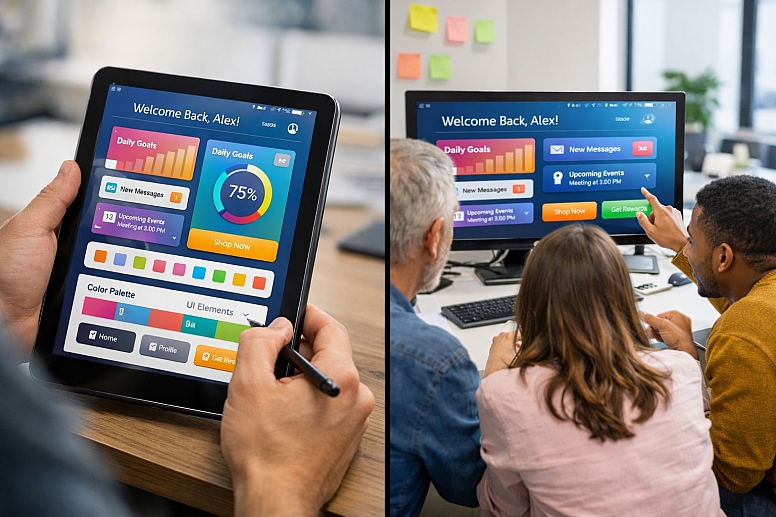
A Comparison of Colour Testing Methodologies
| Method | Primary Question: It Answers | Type of Data Collected | Best Used For | Tools (Examples) |
|---|---|---|---|---|
| Semantic Differential Survey | "What does this colour scheme make you feel/think?" | Quantitative (ratings) on perception and association. | Validating brand emotion and messaging early in the design process. | SurveyMonkey, Typeform, UsabilityHub. |
| First-Click / Visual Attention Test | "Where does your eye go first? Is the hierarchy clear?" | Quantitative (heatmaps, click coordinates) on visual guidance. | Testing the effectiveness of colour in establishing UI hierarchy and guiding attention. | Maze, UserTesting, Hotjar (for live sites). |
| Task-Based Usability Test | "Can you complete this task using this interface?" | Qualitative (observations, think-aloud) and quantitative (success rate, time-on-task). | Identifying functional failures related to colour in interactive prototypes. | Lookback, UserTesting, in-person moderated testing. |
| A/B/N Live Test | "Which variation drives more of the desired user action?" | Quantitative (conversion rates, engagement metrics) on business performance. | Optimising specific, high-impact elements like buttons or alerts on a live product. | Optimizely, VWO, Google Optimize. |
| CVD Simulation & Audit | "Are the colour differences perceivable to users with colour vision deficiencies?" | Qualitative/Technical (identification of failure points). | A mandatory check for accessibility is often used as a filter for analyzing other test results. | Stark, Color Oracle, Sim Daltonism. |
Advanced Nuances in Testing Methodology
For experts, testing extends beyond the methods to the analysis. Segmenting Test Data is crucial. Do younger and older users react differently to a high-contrast, saturated palette? Does the semantic meaning of a colour shift between novice and expert users of a professional tool? Analysing results by user demographic or persona reveals deeper insights.
Understanding The Limits of Preference is key. Users may "prefer" an aesthetically pleasing, low-contrast pastel theme, but performance testing may reveal it causes slower task completion and more errors. The goal of testing is not to design by committee vote, but to gather evidence. Sometimes the data will show that a less "liked" but more functional colour scheme yields superior results.
Finally, Iterative Testing Loops are standard. Testing is not a one-time gate before launch. It is a cycle: Prototype → Test → Analyze → Refine. A palette might pass a semantic survey but fail a usability test. The refined palette based on those findings must then be tested again, often in a more focused way, to confirm the issue is resolved.
Common Pitfalls and Misconceptions
Misconception: "We tested it internally with the team, and everyone liked it." This is the most common and fatal error. Internal teams are deeply familiar with the product and its goals. They suffer from extreme bias and cannot simulate the fresh perspective of a real user. Internal feedback is useful for catching errors, but it is not valid user testing.
Pitfall: Testing Colours in Isolation. Showing a single button colour on a white background tells you nothing about how it will perform on a complex, textured product page. Always test colours in context—within a full layout, with images, text, and other UI components present.
Misconception: "If it passes WCAG contrast, it's accessible." WCAG is a vital technical floor, not a ceiling. A colour combination can pass AAA contrast and still be problematic for users with CVD if it is the only differentiator between states (e.g., a red/green status indicator). Functional testing with diverse users is the only way to ensure true accessibility.
Pitfall: Leading the User. Asking "Don't you think this blue button is easy to see?" invalidates the test. Questions must be neutral and task-oriented: "What would you do next?" or "How would you describe the mood of this page?" Let the user's behaviour and unprompted feedback be the guide.
A Step-by-Step Method for Testing Colour Choices
- Define Specific, Testable Hypotheses. Frame what you want to learn. "We believe using a coral accent (#FF6B6B) for primary buttons will increase click-through rates by 5% compared to our current blue."
- Select the Appropriate Method. Match the hypothesis to the method. Testing perception? Use a Semantic Survey. Testing performance? Use a Task-Based or A/B Test.
- Recruit Representative Users. Your test participants must reflect your actual target audience. Use screening questions to ensure diversity in age, tech proficiency, and, if possible, include participants with colour vision deficiencies.
- Prepare Unbiased Test Materials. Create high-fidelity mockups or live variants. Remove any branding or other cues that could bias the test. For A/B tests, ensure the variants are identical except for the colour in question.
- Conduct the Test and Collect Data. Facilitate sessions neutrally. For remote unmoderated tests, write clear, unbiased instructions.
- Analyze for Insights, Not Just Validation. Look for patterns in failure, hesitation, and verbal feedback. Did multiple users struggle with the same element? Why?
- Report Findings and Iterate. Present data, not opinions. "40% of users with CVD could not distinguish the error state" is actionable. "Some users didn't like the red" is not. Use the findings to refine the palette and plan the next test if necessary.
Questions on Testing Colour with Users
How many users do I need to test with? For qualitative, task-based usability tests, 5-8 users per distinct user group (e.g., 5 novices, 5 experts) is typically sufficient to identify ~85% of major usability issues. For quantitative A/B tests, you need enough traffic to achieve statistical significance, which can range from hundreds to thousands of visitors, depending on your baseline conversion rate and the expected effect size.
What's the difference between preference testing and usability testing for colour? Preference Testing asks "Which do you like better?" and gathers opinion data about aesthetic appeal and initial impression. Usability Testing asks "Can you use this to complete a task?" and gathers behavioural data about functionality and comprehension. Both are valuable, but they answer different questions.
We have a strong existing brand colour. Can we still test it? Absolutely. You are not testing the colour itself in isolation, but its application. You can test different shades, tints, and usage rules. For example, you can test if a darker shade of your brand blue improves button contrast, or if using it as a background for a new feature module is effective. Testing guides application within brand constraints.
When should we test colour: during wireframing, with prototypes, or on the live site? Test at multiple stages with appropriate fidelity.
- Wireframing: Test basic hierarchy with grayscale to ensure layout works without colour.
- Hi-Fi Prototype: Test colour semantics, perception, and guided tasks.
- Live Site: Run A/B tests for micro-optimisations (button colours, link colours) and gather analytics on user behaviour.
LEAVE A COMMENT
Recent Posts



0.0739