
Image Sharpener
Sharpen your images instantly with a powerful online tool that enhances clarity and brings out fine details.
Drag & Drop Images
or click to browse files
Sharpening Settings
Processing image...
Upload an Image
Drag & drop images or click "Browse" to start sharpening
Upload an image to start
Sharpening settings will be shown here
Uploaded Files
No images uploaded yet
Upload images to get started
Sharpening Complete!
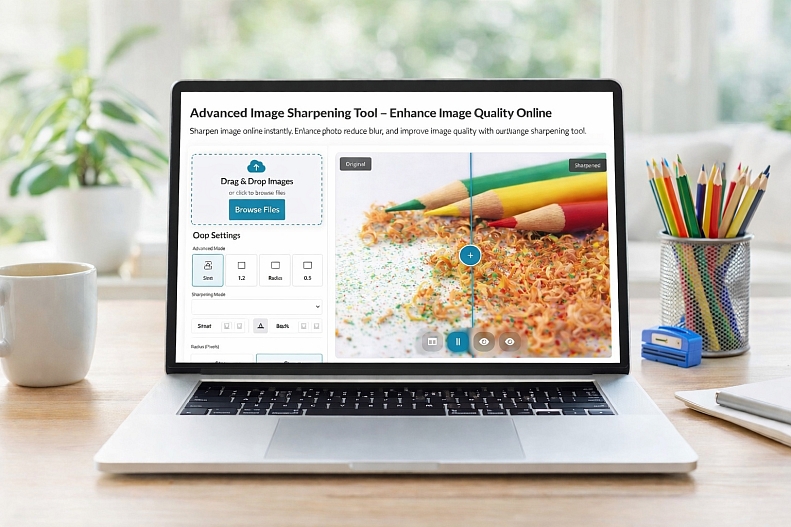
Image Sharpener Tool
The Image Sharpener is a fast, free online tool designed to instantly improve the clarity and detail of your photos. Whether your image is slightly blurry, soft, or lacking definition, it helps restore sharpness and bring out fine details in just a few clicks, directly in your browser.
Built for both beginners and advanced users, the tool offers simple controls alongside powerful sharpening options. You can easily adjust sharpening intensity, radius, and thresholds, or use advanced algorithms like unsharp mask and edge-aware sharpening for more precise results.
See sharpening effects instantly and fine-tune intensity with precision to achieve the perfect balance between clarity and natural detail. Everything runs directly in your browser, ensuring fast performance and complete privacy; no downloads or sign-ups required.
The tool also supports batch processing, making it ideal for enhancing multiple images at once; perfect for photographers, designers, and content creators working at scale.
Key Features
-
Instantly sharpen blurry or soft images
-
Adjustable sharpening controls for precision
-
Advanced algorithms for high-quality results
-
Real-time preview and before/after comparison
-
Batch processing for multiple images
-
Works entirely in-browser (fast, free, and secure)
Use Cases
-
Fixing slightly out-of-focus photos
-
Enhancing product images for e-commerce
-
Improving clarity for social media visuals
-
Restoring old or low-quality images