

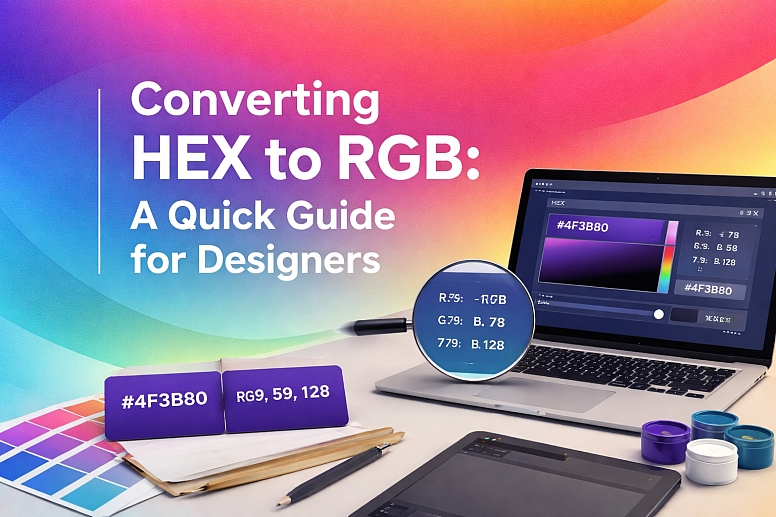
Converting HEX to RGB: A Quick Guide for Designers
You are deep in a design workflow. Your developer asks for the RGB values for the blue in your mock-up, but your design software only shows the HEX code. Or perhaps you are writing CSS and need to use an RGBa value for transparency, but your brand guide only provides HEX. This is a common crossroads for designers. HEX and RGB are simply two different languages for describing the exact same color. Understanding how to translate between them is a fundamental, practical skill.
This guide will show you exactly how to convert HEX codes to RGB values, both manually (to understand the math) and instantly using the tools you already have.
HEX and RGB: What They Are at a Glance
- HEX Codes: A hexadecimal (base-16) way to define RGB colors for the web. It is a 6-digit code preceded by a hash (#), like
#4f3b80. It is compact and widely used in web design and CSS. - RGB Values: A color model that defines a color by how much Red, Green, and Blue light it contains. Values range from 0 to 255 for each channel. It is written as
rgb(79, 59, 128). - They are the same color.
#4f3b80andrgb(79, 59, 128)are identical. - You can convert manually by breaking the HEX code into three pairs and converting each from base-16 to base-10.
- Design software and online tools can do the conversion instantly, making this the preferred method for speed.
Understanding the Languages: HEX vs. RGB
Before converting, it helps to know what you are working with.
RGB (Red, Green, Blue) is an additive color model. This means colors are created by adding together red, green, and blue light. Each channel has a value from 0 (none of that light) to 255 (the full amount of that light).
rgb(0, 0, 0)is black (no light).rgb(255, 255, 255)is white (all light).rgb(255, 0, 0)is pure red.
HEX (Hexadecimal) is just a different way to write these same RGB values. Instead of using base-10 (decimal) numbers from 0-255, it uses base-16 (hexadecimal) numbers.
- Base-10 uses digits: 0, 1, 2, 3, 4, 5, 6, 7, 8, 9.
- Base-16 uses digits: 0, 1, 2, 3, 4, 5, 6, 7, 8, 9, A, B, C, D, E, F.
Here,A= 10,B= 11,C= 12,D= 13,E= 14, andF= 15. A two-digit hexadecimal number can represent16 x 16 = 256different values, perfectly matching the 0-255 range of RGB.
A HEX code is structured as:#RRGGBB
- The first two digits (
RR) represent the Red value. - The middle two digits (
GG) represent the Green value. - The last two digits (
BB) represent the Blue value.
How to Convert HEX to RGB Manually (The Math)
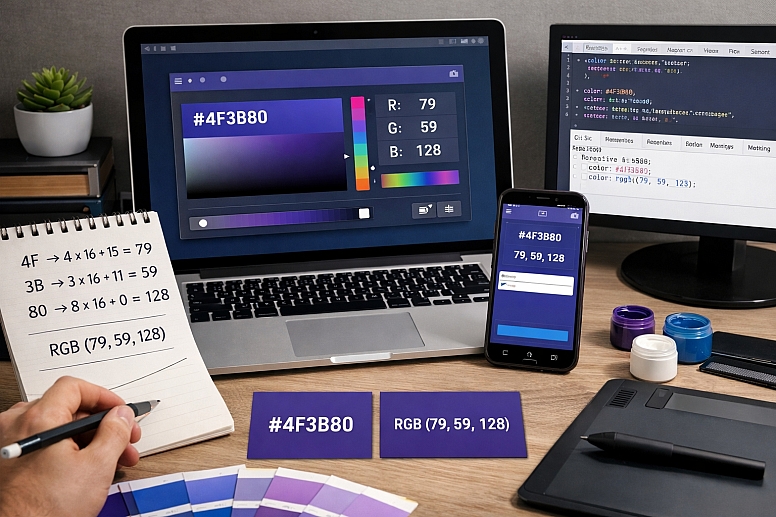
Knowing how to do this manually demystifies the process. Let's convert the purple color#4f3b80to RGB.
Step 1: Break the HEX Code into Pairs - Take the HEX code#4f3b80and break it into its three components:
- Red:
4f - Green:
3b - Blue:
80
Step 2: Convert Each Pair from Base-16 to Base-10 - Each digit in a pair represents a number. The first digit is the "16s" place, and the second digit is the "1s" place. The formula is:(First Digit × 16) + (Second Digit) = RGB Value
Let's apply this to each pair:
-
Red:
4f- First digit:
4(which is 4 in decimal) - Second digit:
f(which is 15 in decimal) - Calculation:
(4 × 16) + (15) = 64 + 15 = 79 - Red value: 79
- First digit:
-
Green:
3b- First digit:
3(which is 3 in decimal) - Second digit:
b(which is 11 in decimal) - Calculation:
(3 × 16) + (11) = 48 + 11 = 59 - Green value: 59
- First digit:
-
Blue:
80- First digit:
8(which is 8 in decimal) - Second digit:
0(which is 0 in decimal) - Calculation:
(8 × 16) + (0) = 128 + 0 = 128 - Blue value: 128
- First digit:
Step 3: Write the RGB Value: Combine the results into the standard RGB format:rgb(79, 59, 128)
How to Convert HEX to RGB Instantly (The Practical Way)
No designer converts colors by hand all day. You have powerful tools to do this for you.
1. Using Your Design Software: All major design applications show both HEX and RGB values in their color pickers.
- Figma, Sketch, Adobe XD: Select a shape with a fill color. Open the color picker panel. As you adjust the color, you will see the HEX code and RGB values update in real-time. You can often click to switch between input modes.
- Adobe Photoshop/Illustrator: Double-click the foreground color swatch to open the color picker. The fields at the bottom-right of the window show the R, G, and B values directly. The HEX code field is also there.
2. Using Online Converters: For a quick one-off conversion, online tools are fastest.
- Simply go to the Toolonic HEX to RGB converter or use our HEX to RGB converter here.
- Other tools like RapidTables or W3Schools Color Converter have input boxes. You paste your HEX code, and it instantly displays the RGB, CMYK, and other values.
3. Using Browser Developer Tools: If you are inspecting a website, you can easily find and convert colors.
- Right-click on an element on a webpage and select "Inspect."
- In the developer tools pane, find the
colororbackground-colorproperty in the "Styles" tab. - Click the small color swatch next to the value. A color picker will pop up, allowing you to see and copy the color in HEX, RGB, HSL, and more.
When and Why You Need to Convert
Understanding the conversion is useful, but knowing when to use each format is key.
Use HEX when:
- You are writing CSS for web design. It is the most common and concise format.
- You are sharing colors with other web developers or designers.
- You are working in most design-to-code workflows.
Use RGB when:
- You need transparency. The RGBa format (
rgba(79, 59, 128, 0.5)) allows you to set an opacity/alpha value, which is not possible with standard HEX. - You are working with software or environments that specifically use RGB values, like some video editing suites or game engines.
- You are manipulating colors programmatically, as the 0-255 values are easier to use in calculations than base-16 strings.
A Quick Reference Table for Common Conversions
| HEX Code | RGB Value | Color | Swatch |
|---|---|---|---|
#ffffff |
rgb(255, 255, 255) |
White | |
#000000 |
rgb(0, 0, 0) |
Black | |
#<a title="<a title="ff0000" href="https://www.colorik.com/how-to-match-colours-across-different-devices-screens">ff0000</a>" href="https://www.colorik.com/how-to-choose-the-perfect-color-palette-for-your-brand-identity">ff0000</a> |
rgb(255, 0, 0) |
Red | |
#00ff00 |
rgb(0, 255, 0) |
Green | |
#0000ff |
rgb(0, 0, 255) |
Blue | |
#808080 |
rgb(128, 128, 128) |
Gray |
The Essential Takeaway
Converting HEX to RGB is not a mysterious art. It is a straightforward translation between two systems that do the same job. While knowing the manual process builds a deeper understanding of how digital color works, your everyday workflow will rely on the instant conversion tools built into your design software and browser. The real skill is knowing which format to use for the task at hand. Now, the next time a developer asks for an RGB value, you can provide it in seconds.
Answers to Common Questions
What about 3-digit HEX codes? A 3-digit HEX code like#f0ais a shorthand for its 6-digit equivalent. Each digit is doubled. So,#f0abecomes#ff00aa. You convert it to RGB the same way:ff(Red)=255,00(Green)=0,aa(Blue)=170. Result:rgb(255, 0, 170).
How do I convert RGB to HEX? You reverse the manual process. Take each RGB value and convert it from base-10 to a two-digit base-16 number.
- Divide the RGB number by 16. The quotient is the first digit.
- The remainder is the second digit. For example, for the RGB value
79(Red from our example):
79 ÷ 16 = 4.9375. The quotient is4.- The remainder is
79 - (4 * 16) = 15. 15in hex isF.- So,
79in hex is4F.
Is there a difference in the color between HEX and RGB? None whatsoever.#4f3b80andrgb(79, 59, 128)are the exact same color. They are just different notations. The color displayed on your screen depends on your monitor's calibration, not on whether it was defined using HEX or RGB.
LEAVE A COMMENT
Recent Posts









0.0781